Prelude
We once spent a week building an MCP server in Rust to provide a set of code review prompts. The server had typed tool interfaces, proper error handling, structured JSON responses, and a clean API surface. It worked beautifully. Then someone pointed out that three markdown files in .claude/commands/ would have accomplished the same thing in ten minutes.
The opposite mistake hurts just as much. For months we ran database queries through Claude Code's Bash tool, piping raw SQL through psql and parsing the text output. Every query dumped the full result set into the context window. Column alignment broke. NULL values rendered as empty strings. And because Bash output is unstructured text, Claude had to guess where one column ended and the next began. When we finally built an MCP server with typed query tools, the improvement was immediate: structured results, proper NULL handling, connection pooling, and context window usage dropped by 60%.
These are not hypothetical scenarios. They are the kind of mistakes that every team building with Claude Code will make at least once. The question of when to use an MCP server versus a CLI tool is one of the most common architectural decisions in the Claude Code ecosystem, and there is surprisingly little practitioner guidance on how to make it well.
This guide is the decision framework we wish we had built before writing that unnecessary Rust server.
The Problem
Claude Code ships with two fundamentally different ways to interact with external systems. The Bash tool gives Claude direct shell access, running any command, piping output, calling APIs with curl, manipulating files with standard Unix tools, and chaining operations with familiar shell syntax. The Model Context Protocol lets you build dedicated tool servers that expose typed interfaces with structured inputs, structured outputs, persistent connections, and discoverable capabilities.
Both approaches work. Both can accomplish most tasks. And that is precisely the problem. When two tools can do the same job, choosing between them becomes a design decision rather than a technical constraint. Design decisions require frameworks, and the MCP ecosystem is too young for conventional wisdom to have formed.
The community debate is real. On Hacker News and Reddit, developers argue about whether MCP is over-engineered for simple tasks or whether Bash scripting is a liability for anything beyond throwaway operations. CircleCI published a theoretical comparison in early 2026, but it stays at the architectural level without answering the practitioner question: given this specific task, which approach should I choose?
The cost of choosing wrong is not catastrophic. You will not break production. But you will waste time, either by over-building infrastructure for a task that needed a shell script, or by accumulating fragile Bash patterns that should have been proper tools from the start. After a year of building both MCP servers and CLI integrations in production, we have a clear framework for making this decision quickly and correctly.
The Journey
What the Bash Tool Gives You
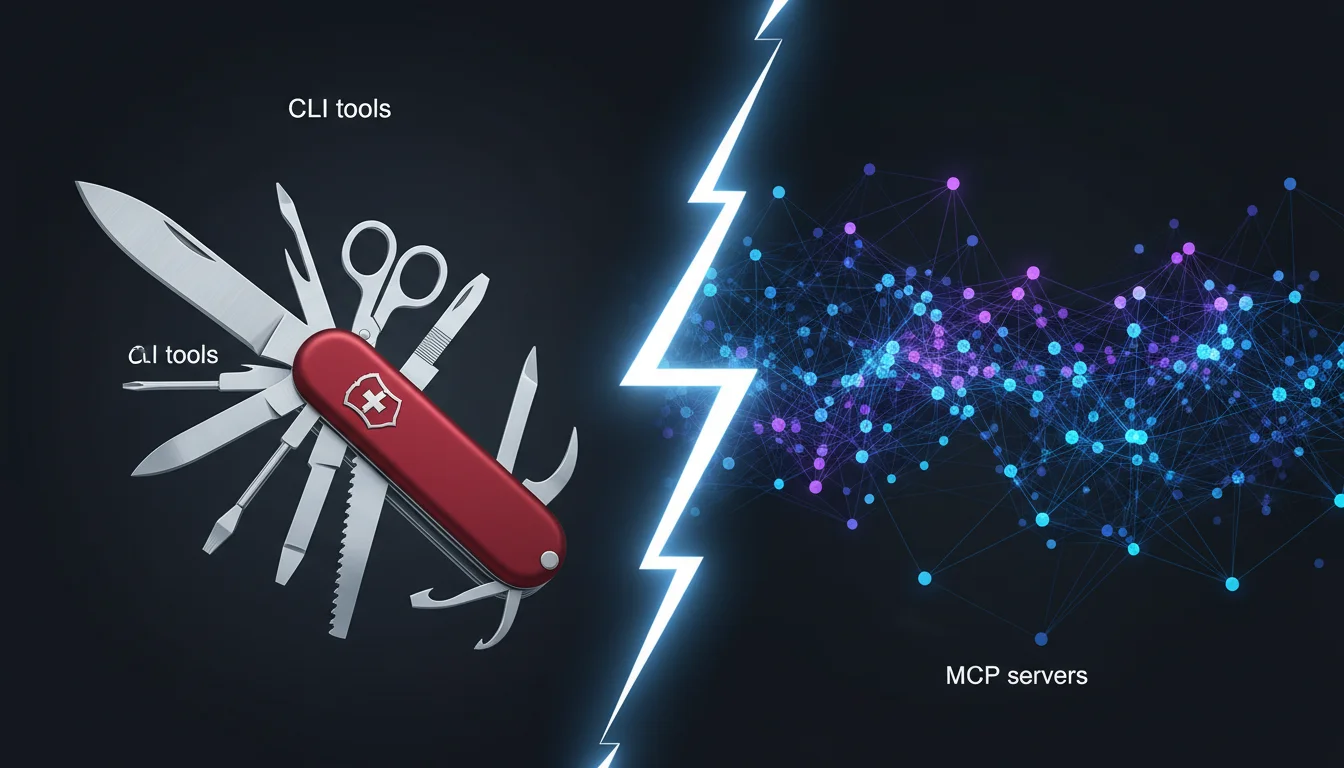
The Bash tool in Claude Code is the Swiss army knife. Claude can execute any shell command, and the full stdout and stderr come back as text in the conversation. This means every CLI tool on your system is immediately available: git, curl, jq, psql, docker, kubectl, aws, gcloud, and thousands more.
The advantages are significant:
Zero setup. No server to build, no configuration to write, no process to manage. If the command exists on your machine, Claude can run it. This is the fastest path from idea to execution.
Full OS capabilities. Bash can do things MCP servers cannot easily replicate: pipe chains, process management, file system operations with glob patterns, environment variable manipulation, and signal handling. Complex data transformations that would require dozens of lines of Rust or Python are often a single pipeline.
Familiar patterns. Every developer knows shell scripting. When Claude writes a Bash command, you can read it, understand it, and modify it. There is no abstraction layer to learn.
Composition. Shell commands compose naturally. curl -s https://api.example.com/data | jq '.items[] | .name' | sort | uniq -c | sort -rn is a valid data pipeline that Claude can write and execute in a single tool call.
But Bash has real limitations that show up in production use:
Context window cost. Every Bash tool call returns the full stdout as text in the conversation. A SELECT * FROM users that returns 500 rows dumps all of that text into the context window. A verbose build log consumes thousands of tokens. There is no way to filter or structure the output before it enters the conversation. Over a long session, this eats your context budget faster than any other tool.
No type safety. Bash output is text. If Claude needs to extract a specific field from JSON output, it parses text. If a column name changes in a database query, the parsing breaks silently. There is no schema validation, no compile-time checks, and no structured error handling.
No persistent state. Each Bash tool call is independent. There is no connection pooling, no session state, no cached authentication. If you query a database ten times, you open ten connections. If you call an API that requires OAuth, you re-authenticate on every request (or manage tokens manually in environment variables).
No discoverability. Claude does not know what CLI tools are available on your system until it tries to run them. With MCP, Claude receives a list of available tools and their schemas at the start of the conversation.
What MCP Servers Give You
An MCP server is a standalone process that exposes a set of tools through the Model Context Protocol. Claude communicates with it over stdio or HTTP, sending structured requests and receiving structured responses. You define the tool schemas (name, description, input parameters, output format), and Claude discovers them automatically.
The advantages address Bash's weaknesses directly:
Structured I/O. Tool inputs are typed JSON. Tool outputs are typed JSON. Claude does not need to parse text, guess column boundaries, or handle encoding issues. A database query tool returns rows as JSON objects with proper types, not tab-separated text.
Context efficiency. MCP tools can return exactly the data needed, in the format needed. A database query tool can return 10 rows of 3 columns instead of 500 rows of 20 columns. A log search tool can return structured matches instead of raw log lines with surrounding context. This precision dramatically reduces context window consumption. In our experience, switching from Bash to MCP for database operations reduced context usage by 40-60% per query.
Persistent connections. An MCP server maintains state across tool calls. Database connection pools stay open. API authentication tokens are cached. WebSocket connections persist. This eliminates the per-call overhead that makes Bash expensive for stateful operations.
Discoverability. When Claude connects to an MCP server, it receives a manifest of available tools with descriptions and schemas. Claude knows what it can do before it tries. This reduces failed attempts and makes multi-step workflows more reliable.
Team distribution. MCP servers can be packaged and shared through the Anthropic Marketplace or distributed as team configuration. A Bash script lives in one developer's environment; an MCP server can be installed by the whole organisation.
But MCP has its own costs:
Build time. Even a simple MCP server takes hours to build, test, and deploy. The protocol has specific requirements for tool registration, error handling, and lifecycle management. Our simplest MCP server (a Rust-based tool for structured queries) took a full day to build and test.
Maintenance burden. MCP servers are software. They have dependencies, they need updates, they can break. A Bash command that calls curl works as long as curl is installed. An MCP server that wraps the same API needs to be maintained as a separate codebase.
Infrastructure overhead. MCP servers are processes that need to be started, managed, and monitored. In production deployments, they need health checks, logging, and restart policies. This is appropriate for team-wide tools but overkill for personal utilities.
Learning curve. Building MCP servers requires understanding the protocol, the SDK for your language, and the authentication patterns for secure deployments. This is a meaningful investment, especially for developers who only need one or two custom tools.
The Decision Framework
After building dozens of MCP servers and hundreds of Bash integrations, we distilled the decision down to five criteria. Score each one for your specific task, and the right choice becomes obvious.
1. Frequency: How Often Will This Run?
One-off or rare (less than once per week): Use Bash. The setup cost of an MCP server is never justified for a task you will run a handful of times. Even if the Bash approach is slightly less elegant, the total time spent is lower.
Regular (daily or more): Consider MCP. The upfront investment pays back quickly when amortised across hundreds of executions. Connection pooling, cached auth, and structured output save time on every call.
Continuous (always running, event-driven): MCP is the clear choice. Persistent connections, lifecycle management, and structured error handling are essential for always-on integrations.
2. Audience: Who Will Use This?
Just you: Bash is almost always sufficient. You know your environment, you can handle the rough edges, and you do not need to document the interface.
Your team: MCP becomes attractive. Typed tool schemas serve as documentation. The server can be distributed through configuration files. Everyone gets the same behaviour regardless of their local environment.
The organisation or marketplace: MCP is required. You cannot distribute a Bash script through the Anthropic Marketplace. Shared tools need the reliability, discoverability, and security that the protocol provides.
3. State: Does the Operation Need Persistence?
Stateless (each call is independent): Bash works fine. curl, grep, file reads, git operations, and most Unix tools are inherently stateless.
Stateful (connections, sessions, caches): MCP is better. Database connection pools, API sessions with refresh tokens, WebSocket subscriptions, and in-memory caches all require a persistent process. Bash cannot maintain state between tool calls without external helpers like temp files or environment variables, which are fragile.
4. Complexity: How Structured Is the I/O?
Simple text (a few lines, predictable format): Bash is fine. git status, ls -la, echo $VARIABLE produce output that Claude can parse reliably.
Structured data (JSON, tables, nested objects): MCP is better. The moment you find yourself writing | jq '...' or | awk '{print $3}' to extract data from Bash output, you are doing work that an MCP tool handles natively. If the output is more than 20 lines or contains nested structures, the context window savings alone justify MCP.
Binary or large payloads (images, large files, streams): MCP is required. Bash tool output is text. Binary data does not survive the round trip. Large payloads consume too much context.
5. Distribution: Will This Be Shared or Packaged?
Local only: Bash. No packaging needed, no version management, no distribution channel.
Shared via config: Either works, but MCP is cleaner. You can point a team's Claude Code configuration to a shared MCP server. Shared Bash scripts require PATH management and dependency tracking.
Marketplace or plugin: MCP only. The plugin system requires the MCP protocol for tool distribution.
Scoring the Framework
For any new integration, score each criterion on a simple scale: Bash (0) or MCP (1). If the total is 0-1, use Bash. If the total is 2-3, either works but lean toward the majority. If the total is 4-5, MCP is the right choice.
In practice, criterion 2 (audience) and criterion 3 (state) carry the most weight. A tool that only you use and requires no persistent state is almost always Bash, regardless of the other criteria. A tool that the team shares and needs persistent connections is almost always MCP, regardless of how complex the I/O is.
The Quick Reference Table
| Criterion | Bash | MCP |
|---|---|---|
| Setup time | Seconds | Hours to days |
| Ongoing maintenance | None | Versioning, testing, deployment |
| Context window cost | High (full stdout) | Low (structured, filtered) |
| Type safety | None | Full schema validation |
| Persistent state | No | Yes |
| Team distribution | Fragile | Clean |
| Marketplace ready | No | Yes |
| Learning curve | None | Moderate |
| Composition | Excellent (pipes) | Limited (tool-by-tool) |
| OS-level access | Full | Sandboxed by design |
Data source: MCP specification and Claude Code Bash tool docs, as of 2026-04. Permalink: systemprompt.io/guides/mcp-vs-cli-tools#the-quick-reference-table.
Capability Comparison by Primitive
| Primitive | MCP server | CLI tool |
|---|---|---|
| Input contract | Typed JSON schema per tool | POSIX argv + stdin byte stream |
| Output contract | Typed JSON result or error | stdout + stderr bytes, exit status |
| Discovery | tools/list, resources/list, prompts/list at session start |
None; caller must know the binary name |
| Error signal | Structured error object with code and message | Non-zero exit status + stderr text |
| Capabilities exposed | Tools, resources, prompts, sampling, roots | Single callable per binary |
| Cancellation | Protocol-level notifications/cancelled |
SIGINT / SIGTERM to the process |
Data source: MCP specification and IEEE Std 1003.1 (POSIX) command conventions, as of 2026-04. Permalink: systemprompt.io/guides/mcp-vs-cli-tools#capability-comparison-by-primitive.
Latency and Reliability Comparison
| Concern | MCP persistent session | CLI per-invocation subprocess |
|---|---|---|
| Startup cost per call | None after initial handshake | Full fork/execve + runtime init each call |
| Connection reuse | Yes (pool held in server process) | No (PID exits after each command) |
| Auth state | Cached in-process | Re-read from env, file, or keyring each call |
| Partial output on crash | Protocol can deliver structured error | stdout truncated at last flushed buffer |
| Long-running work | Progress notifications supported | Blocks the tool call until exit |
| Failure isolation | Server restart loses pool; requires supervision | Each call is isolated; crash only affects that call |
Data source: MCP lifecycle and notifications and Linux fork(2) / execve(2) manual pages, as of 2026-04. Permalink: systemprompt.io/guides/mcp-vs-cli-tools#latency-and-reliability-comparison.
Integration Surface in Claude Code
| Surface | MCP server | Bash tool CLI |
|---|---|---|
| Registration | .mcp.json or user config, loaded at startup |
Automatic for any binary on PATH |
| Metadata visible to Claude | Tool name, description, input schema, output schema | Command name only (if explicitly referenced) |
| Permission model | Per-tool approval, scoped to server | Blanket Bash allow/deny rules |
| Session scope | Process persists for the session | Subprocess per call |
| Transport | stdio, SSE, or streamable HTTP | OS pipes via the Bash tool |
| Config location | User or project .mcp.json |
Shell PATH + installed binaries |
Data source: Claude Code MCP configuration and Claude Code tools reference, as of 2026-04. Permalink: systemprompt.io/guides/mcp-vs-cli-tools#integration-surface-in-claude-code.
Cost and Complexity Analysis
The hidden cost of both approaches is context window consumption.
A Bash tool call that runs psql -c "SELECT id, name, email FROM users WHERE active = true" returns the full text output: column headers, separator lines, data rows, and a row count summary. For 100 rows, this is roughly 5,000 tokens of context consumed.
An MCP tool that runs the same query returns a JSON array of 100 objects with three fields each. The structured format is denser (no padding, no separators), and the MCP server can limit the result set, paginate, or summarise. The same 100 rows consume roughly 2,000 tokens.
Over a session with 20 database queries, that difference compounds: 100,000 tokens saved, which is roughly 10% of Claude's context window. In long sessions, this is the difference between hitting the context limit and having room to work.
Build cost comparison:
| Approach | Initial Build | First Month | Six Months |
|---|---|---|---|
| Bash one-liner | 5 minutes | 5 minutes | 5 minutes |
| Bash script (parameterised) | 30 minutes | 30 minutes | 1 hour (debugging edge cases) |
| MCP server (simple, 2-3 tools) | 4-8 hours | 5-9 hours | 8-14 hours (updates, bug fixes) |
| MCP server (full, 10+ tools) | 2-5 days | 3-6 days | 1-2 weeks (feature additions, security) |
Data source: editorial estimates from production builds, calibrated against MCP TypeScript SDK and Python SDK scaffolding time, as of 2026-04. Permalink: systemprompt.io/guides/mcp-vs-cli-tools#build-cost-comparison.
The break-even point varies by usage frequency. For a tool used 5 times per day by a team of 4, an MCP server pays back its build cost within a week through reduced context usage and eliminated errors. For a tool used once a week by one developer, Bash never loses its advantage.
Real Examples from Production
Example 1: Code review prompts (we over-built)
What we built: An MCP server in Rust that served code review prompt templates. The server had tools for different review types (security, performance, style) and accepted parameters like language, severity level, and focus area.
What we should have done: Three markdown files in .claude/commands/. The skills system handles prompt expansion natively. No server needed, no process to manage, no build step. The MCP server added complexity for something that was fundamentally a text template.
The lesson: If the "tool" only returns text that does not depend on external state, it is a skill or a command, not an MCP server.
Example 2: Database queries (we under-built)
What we did: Ran PostgreSQL queries through Bash for three months. psql -h localhost -U app -d production -c "SELECT ..." piped through jq or awk when we needed structured output.
The problems that accumulated: Connection overhead (new TCP connection per query, ~200ms each). Unstructured output (column alignment broke with long values). No NULL handling (empty strings and NULLs were indistinguishable). Context bloat (every query dumped full results including headers and formatting).
What we built instead: An MCP server with typed query tools. run_query accepts SQL and returns JSON rows. describe_table returns column metadata. explain_query returns the query plan as structured data. Connection pooling reduced latency from 200ms to 5ms per query. Context usage dropped 60%.
The lesson: If you are calling the same external service repeatedly and parsing its text output, that is an MCP server waiting to be built.
Example 3: The hybrid approach (our analytics pipeline)
Our daily SEO monitoring workflow uses both approaches:
Bash for ad-hoc exploration: When investigating a traffic anomaly, we use curl to pull data from various APIs, jq to filter and transform, and shell pipelines to combine data sources. These are one-off investigations that change every time. Building MCP tools for them would be premature.
MCP for structured, repeated operations: Our analytics CLI (systemprompt analytics overview, systemprompt analytics content top) is built on a Rust binary that the platform provides. The Google Search Console integration uses a dedicated authentication flow with persistent tokens. These run daily and benefit from structured output, connection management, and reliable schemas.
The boundary: When a Bash pattern stabilises (same command, same parsing, used more than 3 times per week), we evaluate whether to promote it to an MCP tool. Most ad-hoc patterns never stabilise. The ones that do get promoted quickly.
The Hybrid Approach
The best Claude Code setups use both approaches. Bash handles the exploratory, ad-hoc, and OS-level work. MCP handles the structured, repeated, and team-shared work. The key is knowing when to graduate a Bash pattern into an MCP tool.
Start with Bash. Always. Even if you suspect you will eventually need MCP, start with Bash. This lets you discover the actual interface you need (what inputs, what outputs, what error cases) before committing to a typed schema. Premature MCP is the architectural equivalent of premature abstraction.
Watch for promotion signals. A Bash pattern is ready for MCP when:
- You have run the same command (or close variants) more than 10 times
- You have added
| jq,| awk, or| grepto parse the output at least 3 times - Someone else on your team needs the same capability
- The command requires authentication or state that you manage manually
- The output regularly exceeds 50 lines and you only need a subset
Migrate incrementally. You do not need to replace all Bash usage at once. Promote one pattern at a time. Keep Bash for everything else. Over months, the boundary between Bash and MCP will settle naturally at the right place for your workflow.
Keep Bash for what it does best. Even in a mature setup with many MCP servers, Bash remains the right tool for: file system operations (find, cp, mv, rm), git operations (git status, git diff, git log), process management (ps, kill, top), and environment inspection (env, which, uname). These are OS primitives that do not benefit from MCP's structure.
Common Pitfalls and Failure Modes
A few failure modes show up often enough that they deserve calling out before you commit to either approach.
"stderr: killed by request" on an MCP server. This usually means Claude Code hit the server's stdio timeout or the process exited without flushing. The fix is rarely in the tool call itself. Check that your MCP server handles SIGTERM cleanly, that long-running tools stream progress rather than blocking, and that the server does not write to stdout outside the protocol envelope. A single stray println! in a Rust MCP server or a print in Python will corrupt the stdio stream and kill the connection.
Bash commands that silently truncate output. Claude Code caps tool output at roughly 30,000 characters. A kubectl logs or docker compose logs call that exceeds the cap will be cut off, and Claude has no way to know what was lost. If you rely on the full output for a decision, pipe through tail -n or head -n explicitly so the truncation is deterministic, or promote the command to an MCP tool that paginates.
The "CLI replacing MCP" debate. Some developers argue that a well-designed CLI with structured JSON output (--output json) is strictly better than an MCP server: less protocol overhead, easier to test, reusable outside Claude Code. The argument has merit for tools you already ship as CLIs. But it collapses on three points. First, Bash tool calls cannot hold state between invocations, so connection pooling and cached auth are off the table. Second, Claude has to remember the flags and parse the output every time, which burns tokens that schema-driven MCP tools save automatically. Third, CLIs cannot surface tool descriptions at session start, so Claude does not know the tool exists until told. A JSON-emitting CLI is a fine primitive. It is not a substitute for typed tool schemas when the tool is used repeatedly by an agent.
MCP versus API versus CLI. These are three different layers. An API is a remote contract. A CLI is a local command that often wraps an API. An MCP server is a typed tool surface that Claude discovers automatically and can hold state around. You do not choose between all three. You choose where to draw the boundary for each operation.
Where Hooks Fit In
There is a third option that sits between Bash and MCP: Claude Code hooks. Hooks are event-driven shell commands that fire automatically on specific lifecycle events (before/after tool use, on prompt submit, on session start). They are Bash scripts, but they run in response to events rather than being called explicitly.
Hooks are ideal when you need automation that Claude should not have to think about: logging every tool call, enforcing coding standards before edits, notifying a Slack channel when a session starts, or running linting after every file write. They complement both Bash and MCP rather than replacing either.
If you find yourself asking Claude to "run this command after every edit" or "always check this before committing," that is a hook, not a Bash command or an MCP tool.
The Takeaway
The decision between MCP and Bash is not about which technology is better. It is about matching the tool to the task.
Use Bash when the task is ad-hoc, local, stateless, and the output is simple text. Use MCP when the task is repeated, shared, stateful, or produces structured data. Start with Bash, watch for promotion signals, and migrate to MCP when the pattern stabilises.
The five criteria (frequency, audience, state, complexity, distribution) give you a quick decision for any new integration. Score them honestly and the answer is usually obvious. When it is not obvious, default to Bash. You can always promote later, but you cannot easily demote an MCP server back to a shell script without the sunk cost whispering in your ear.
The best Claude Code setups are not all-Bash or all-MCP. They are hybrids that use each approach where it excels. Build the smallest thing that works today, and let the architecture evolve from actual usage rather than theoretical planning.